Console
Run your organization
Manage your team, access, and portal branding.
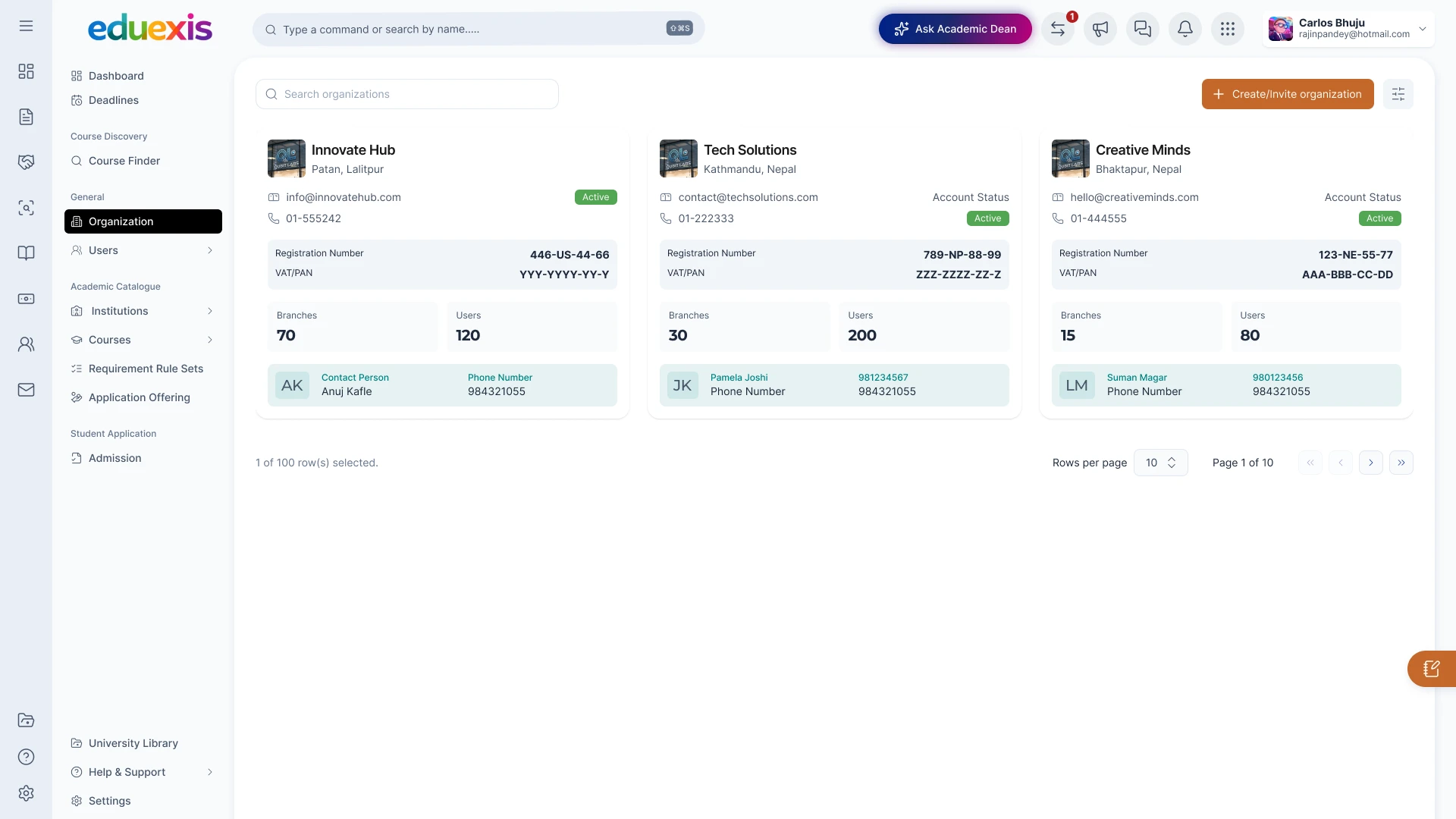
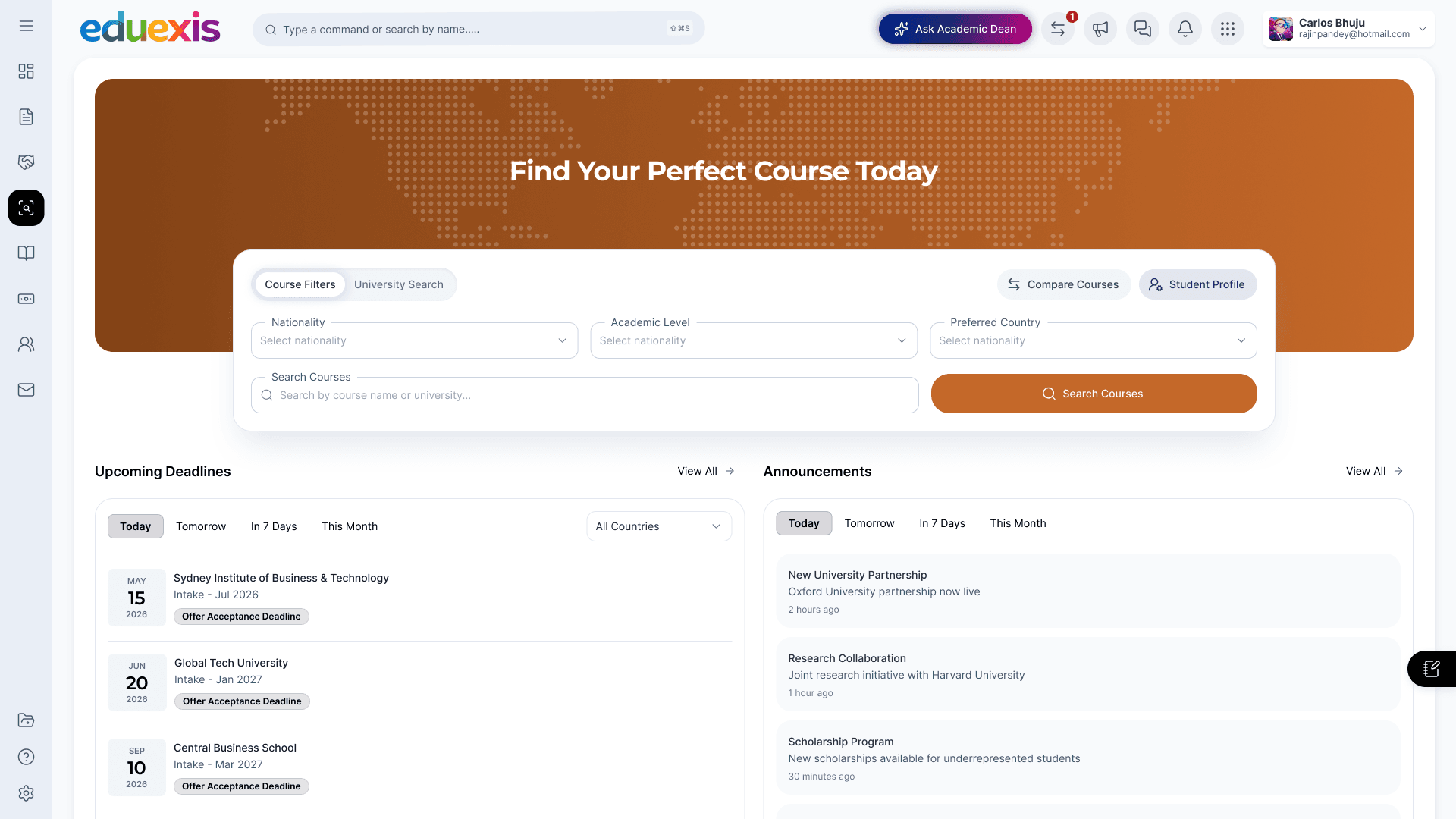
Three portals. One student app.
Manage your team, access, and portal branding.
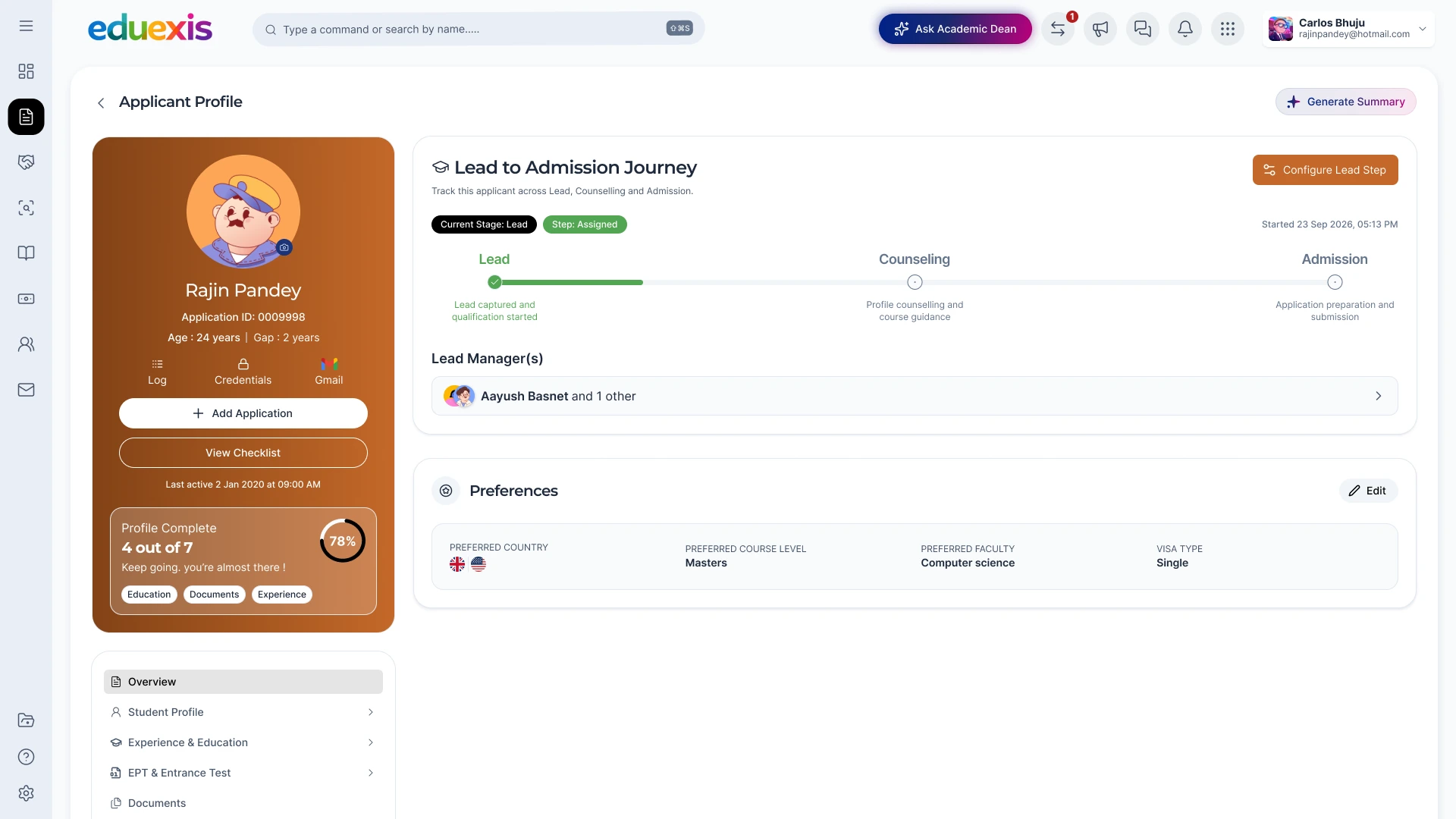
Create leads and manage applications at each branch.
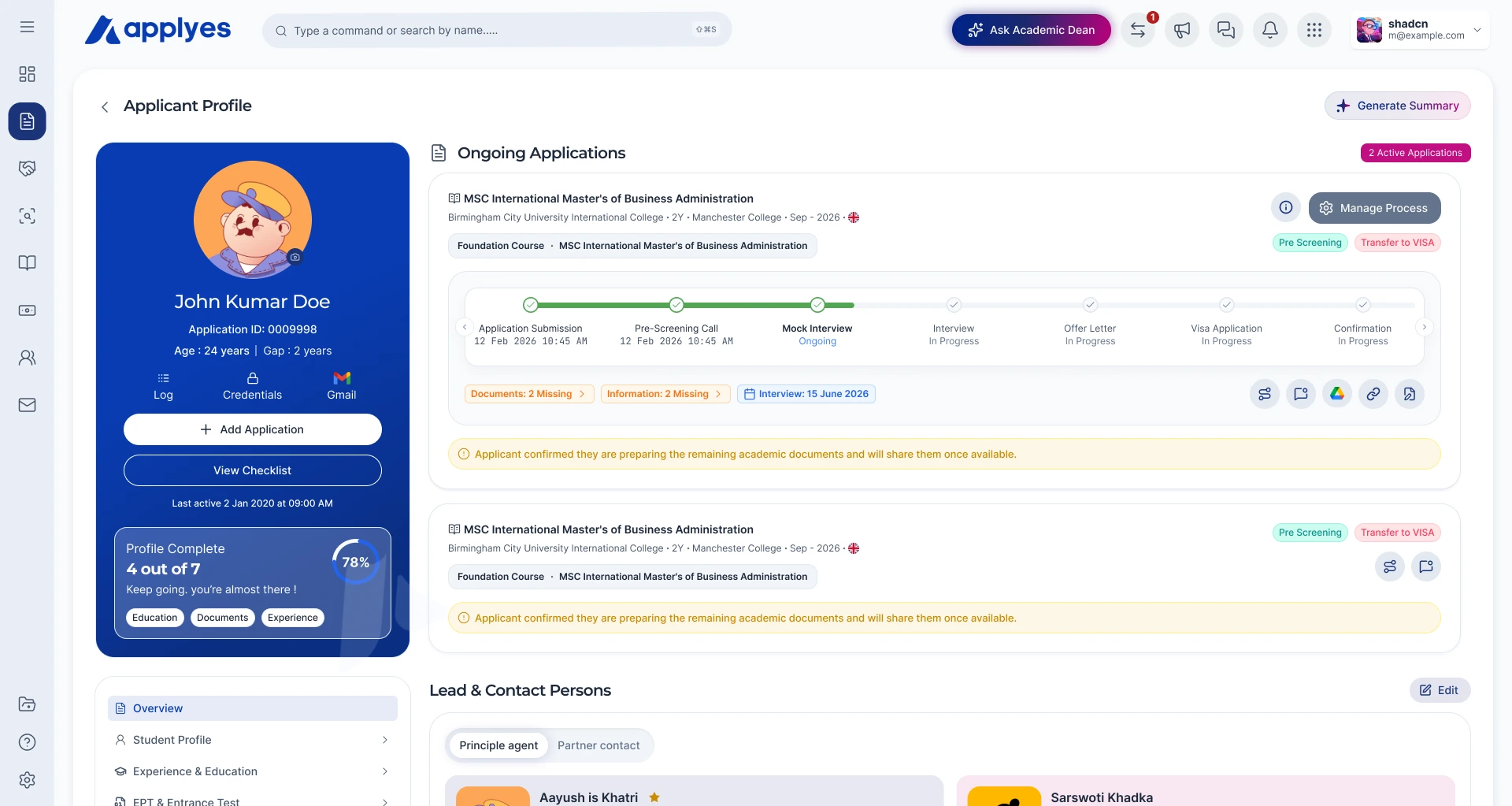
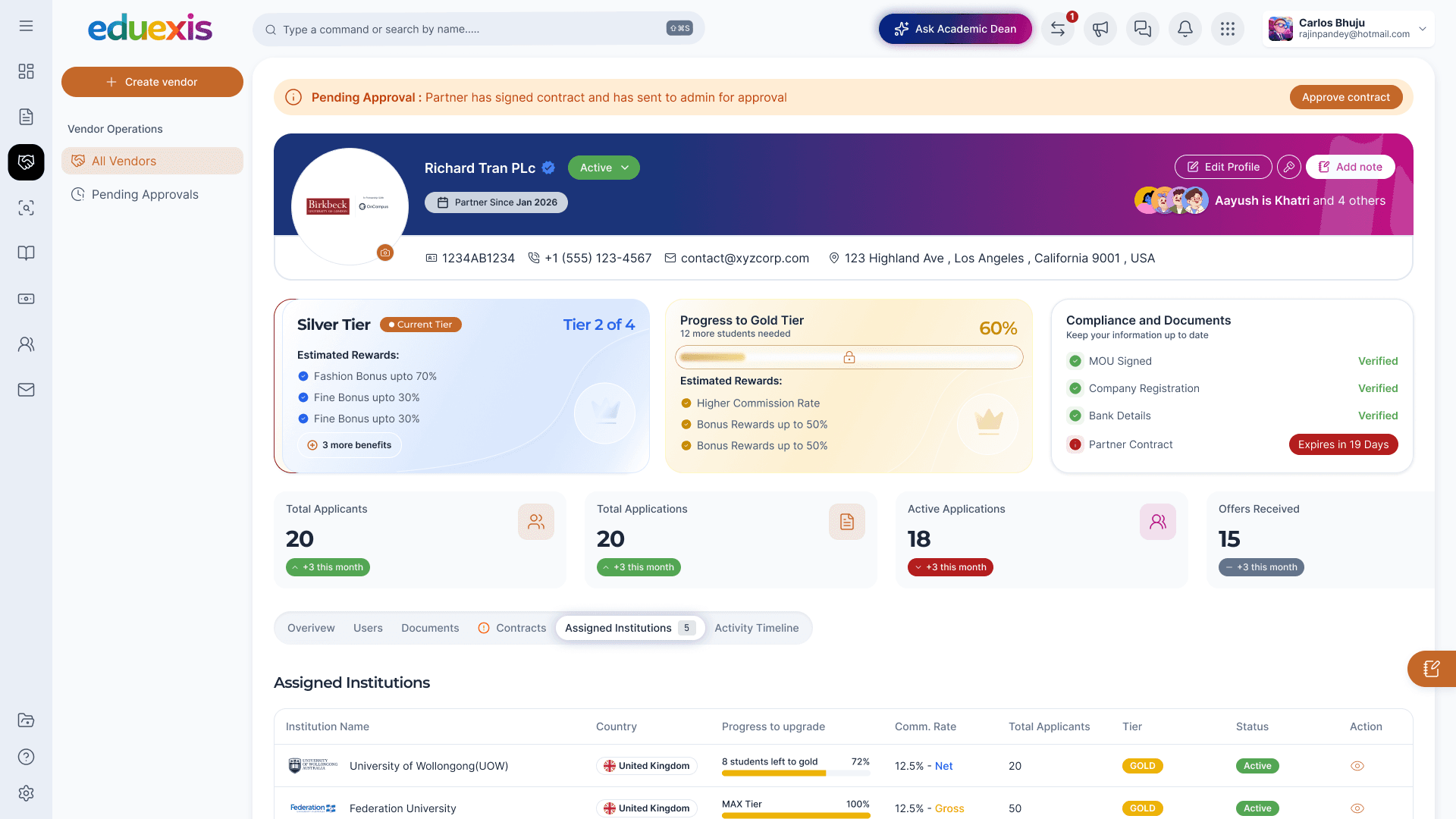
Vendors submit student applications to your organization.
Students can access their accounts and track CRM applications on their phones.
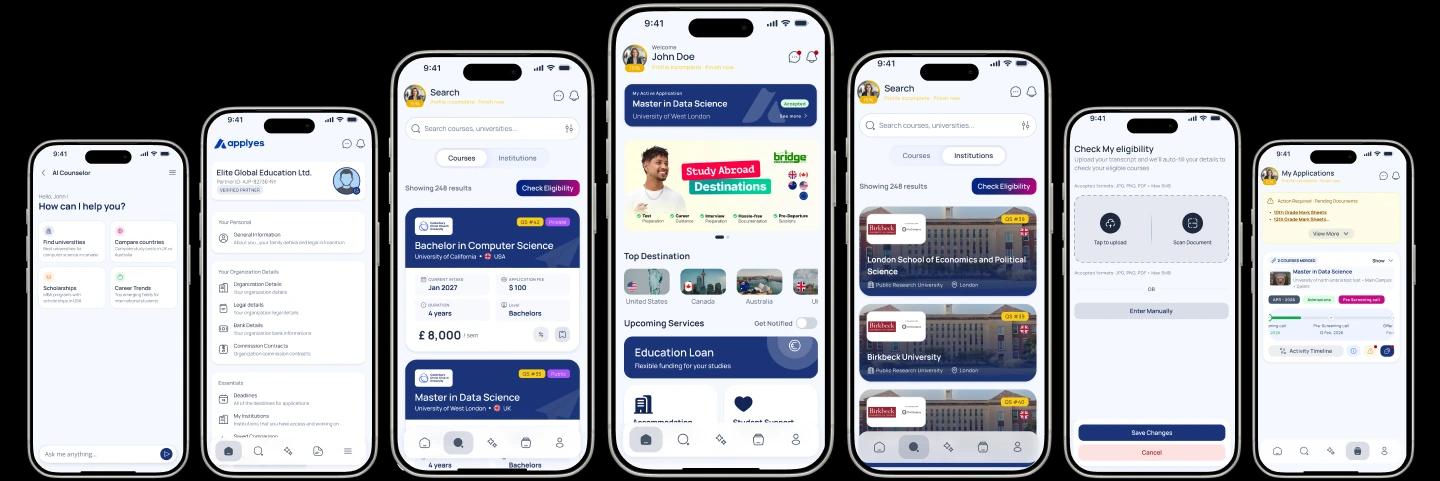
Eduexis maintains universities, courses, requirement rule sets, workflows, and application offerings in one catalogue. An offering makes a course available for a particular intake or batch.
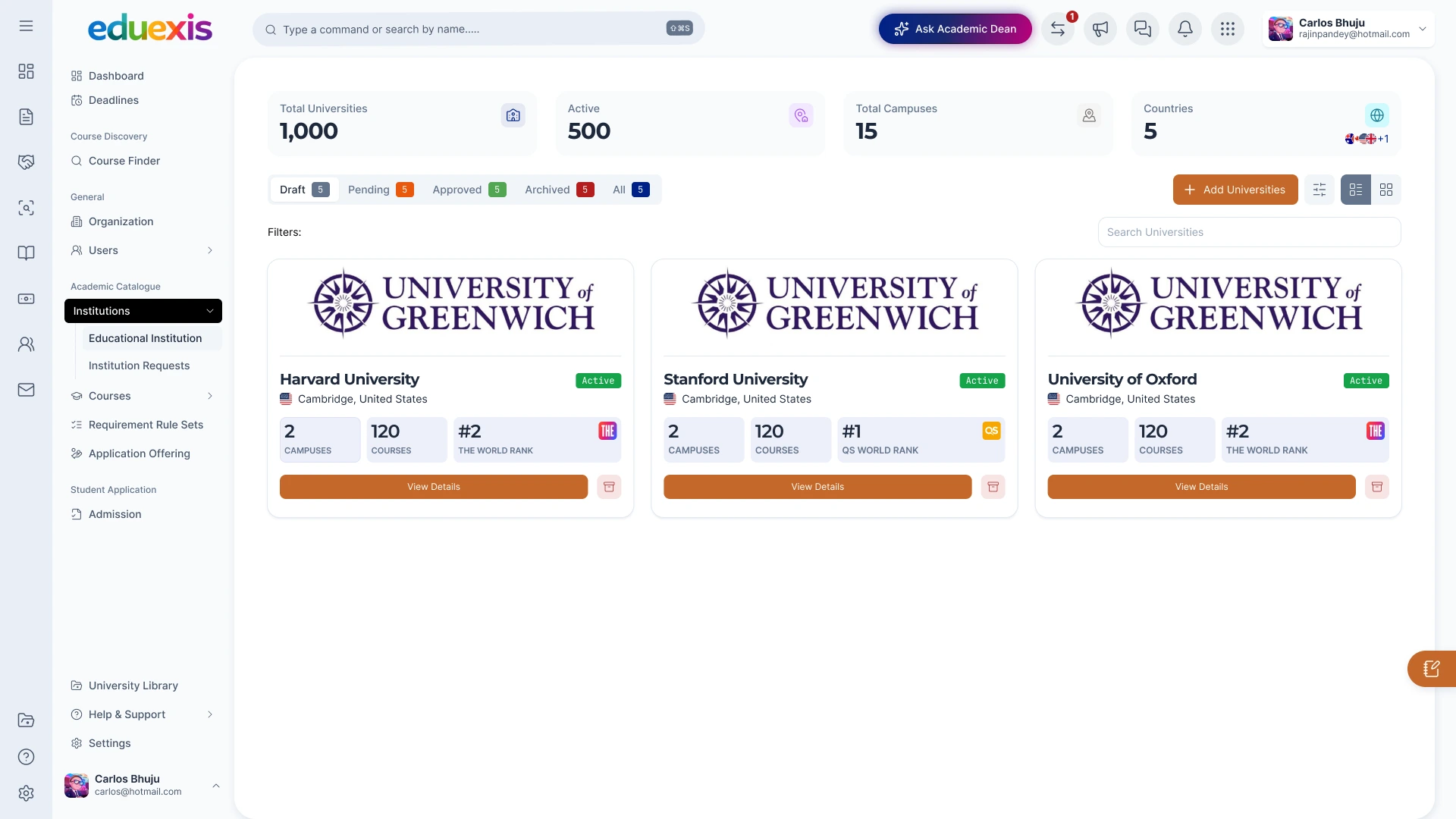
Each course links to a requirement rule set that brings together its academic criteria, English proficiency test (EPT) requirements, and other eligibility rules.
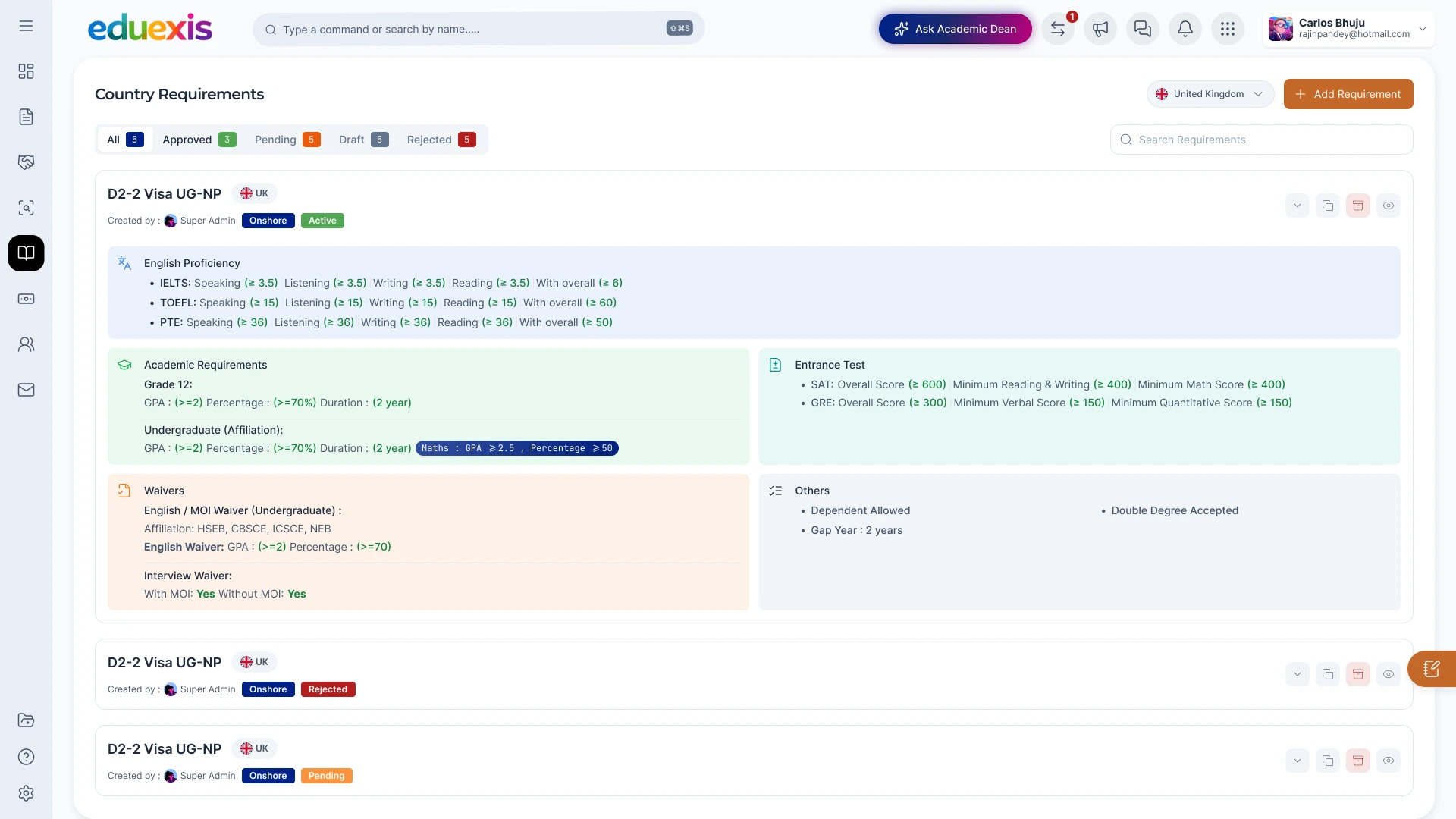
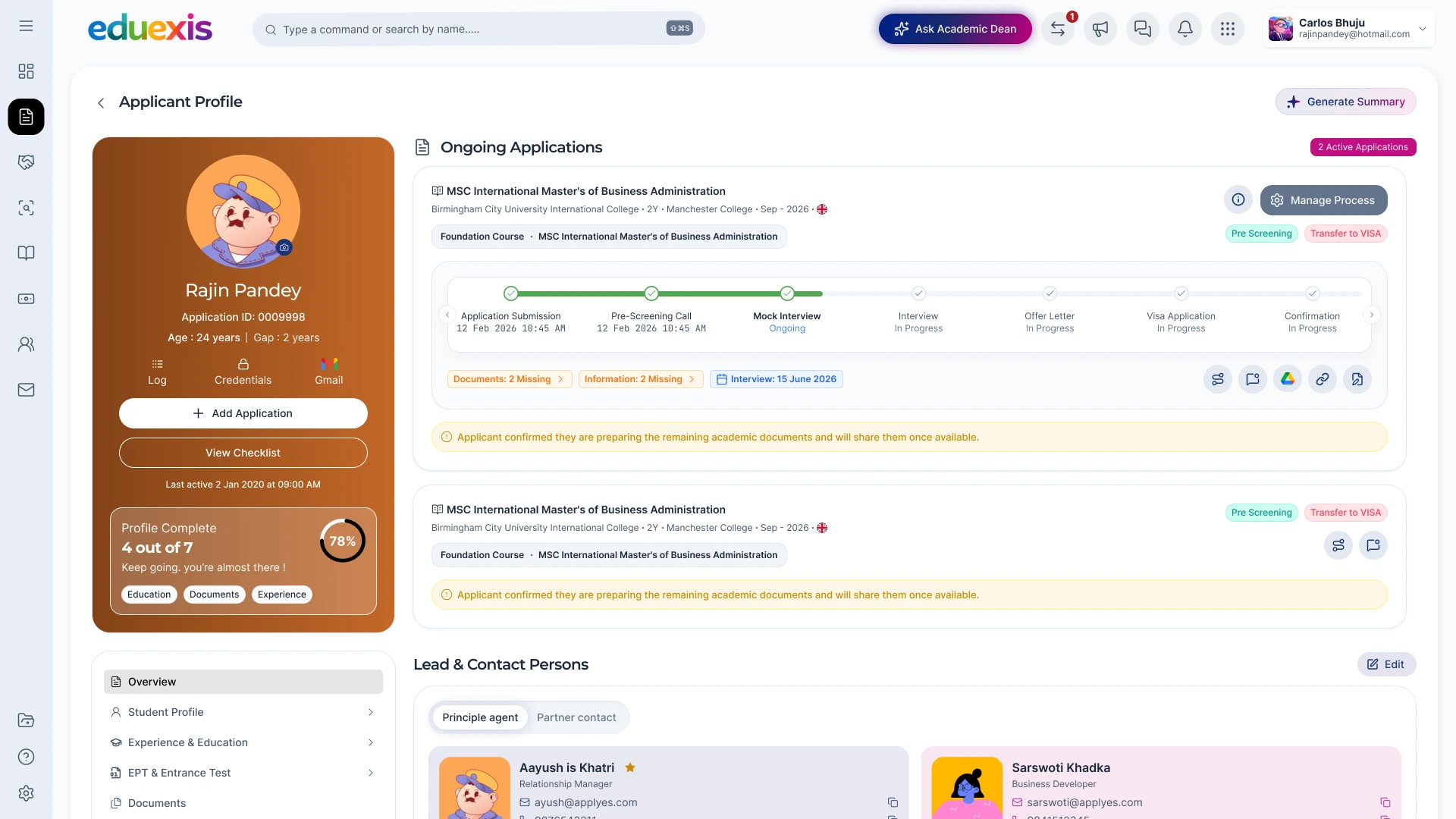
Eduexis defines the workflow for each university and course. Applications submitted by a branch through CRM or by a vendor through B2B follow the workflow for the selected offering’s course.
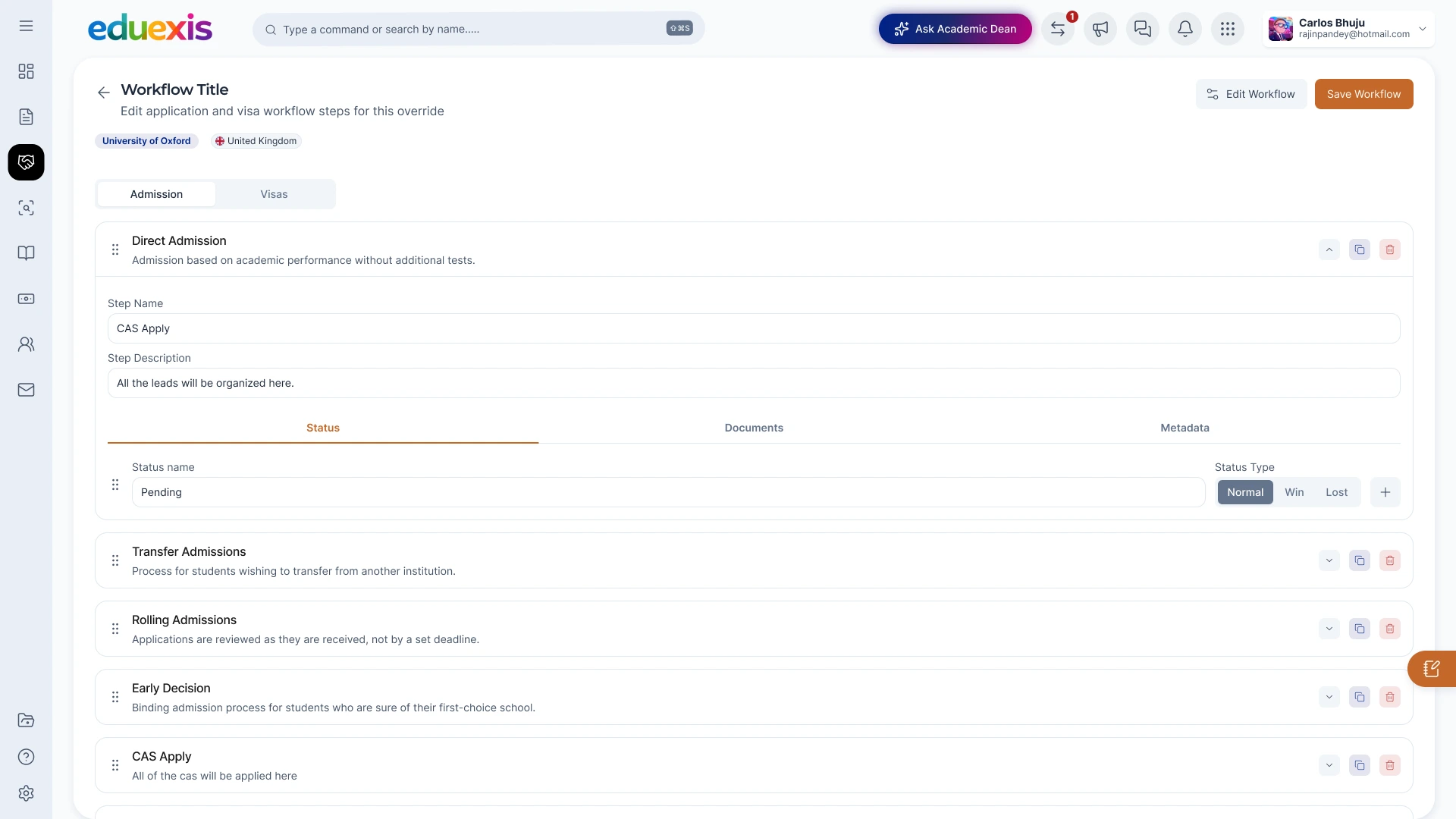
Branch teams submit applications through CRM and vendors submit through B2B. Each application follows the workflow for the selected university and course, so your team can track its current stage and status.
Changes to records are reviewed before they are used, so everyone works from approved information.
Applies to universities, courses, rule sets and application offerings. Rejected records can be fixed and resubmitted, and the reason stays visible to the author.
Editing an approved record returns it to Pending until it is approved again.
Courses need an approved university and rule set. Offerings need approved courses.
Each application offering sets when a course is open, at which campuses and at what cost. Filter by Running, Upcoming or Closed to see what is accepting applications.
Get instant assistance with student counselling.
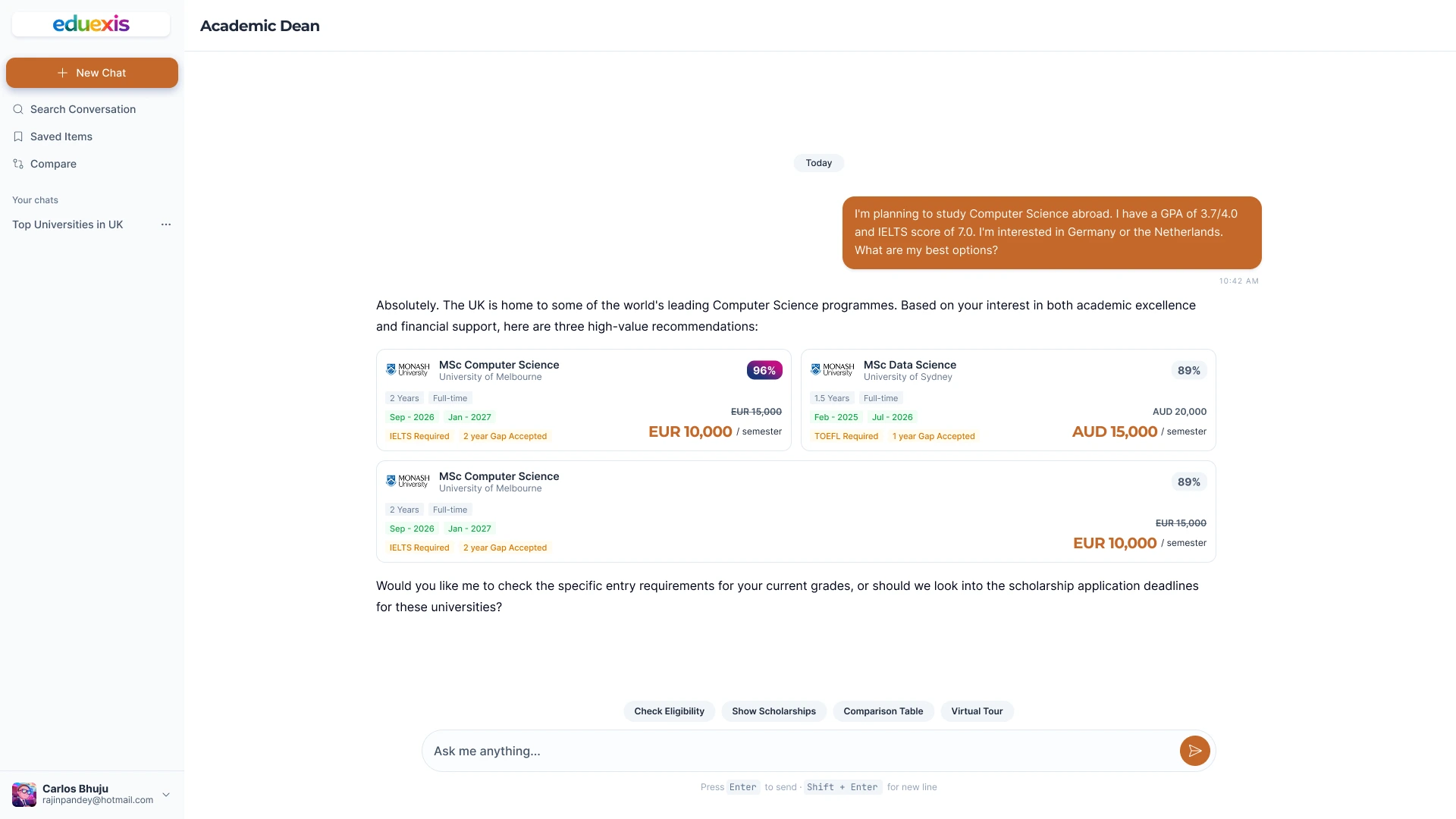
Sign and manage partnership agreements online.
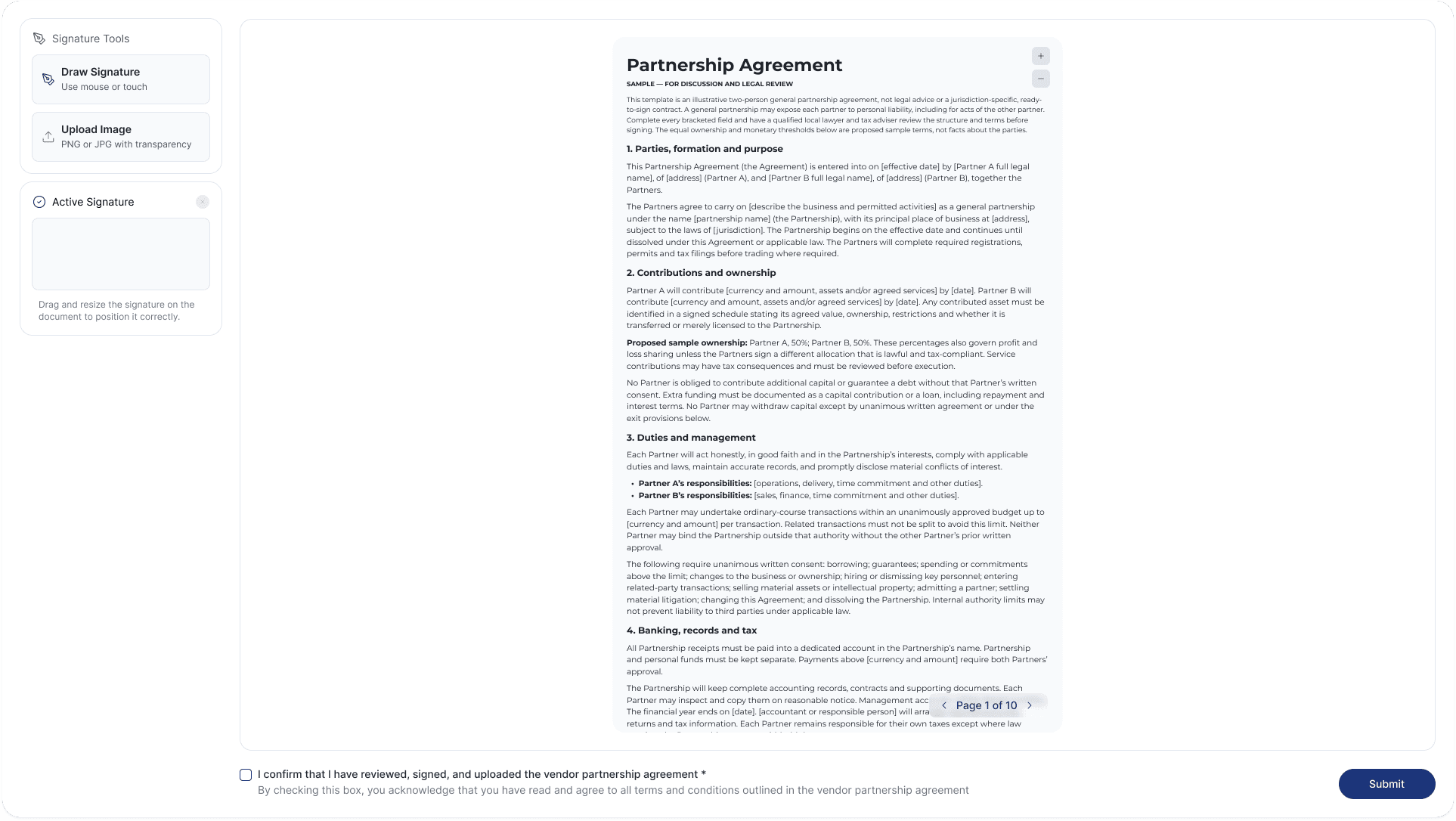
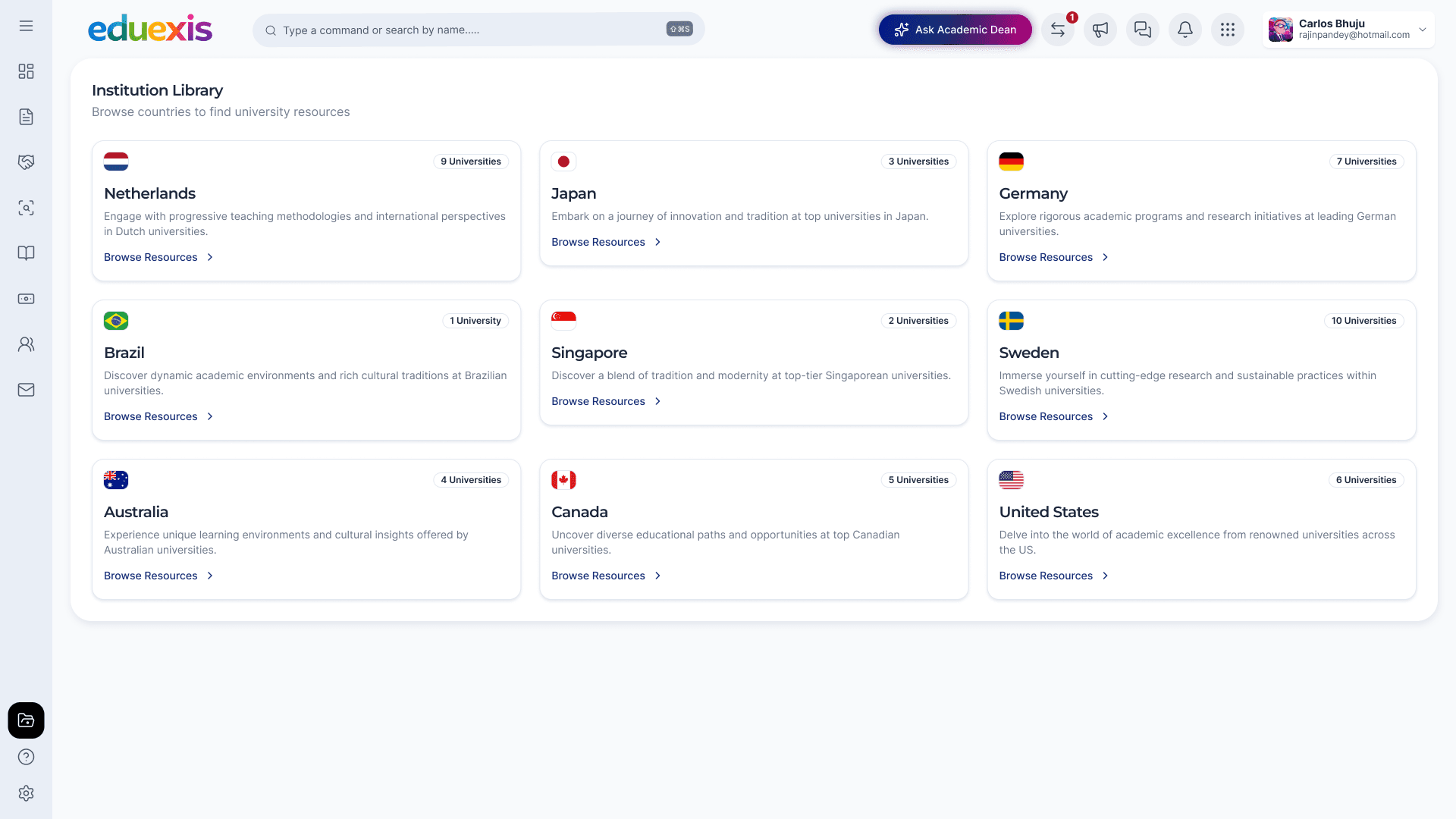
Explore partner universities, their courses, and entry requirements.
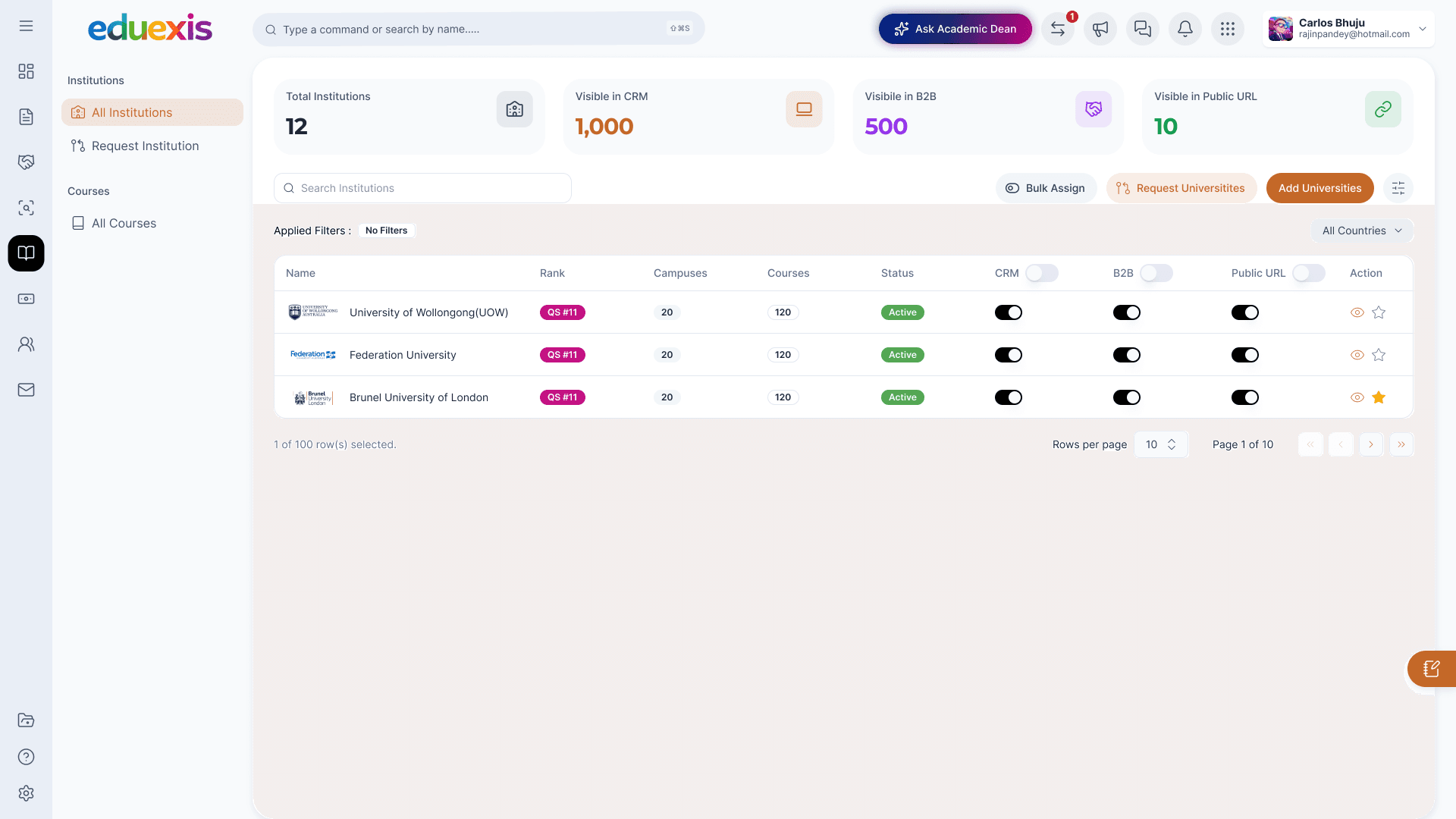
Manage student profiles, leads, and records.
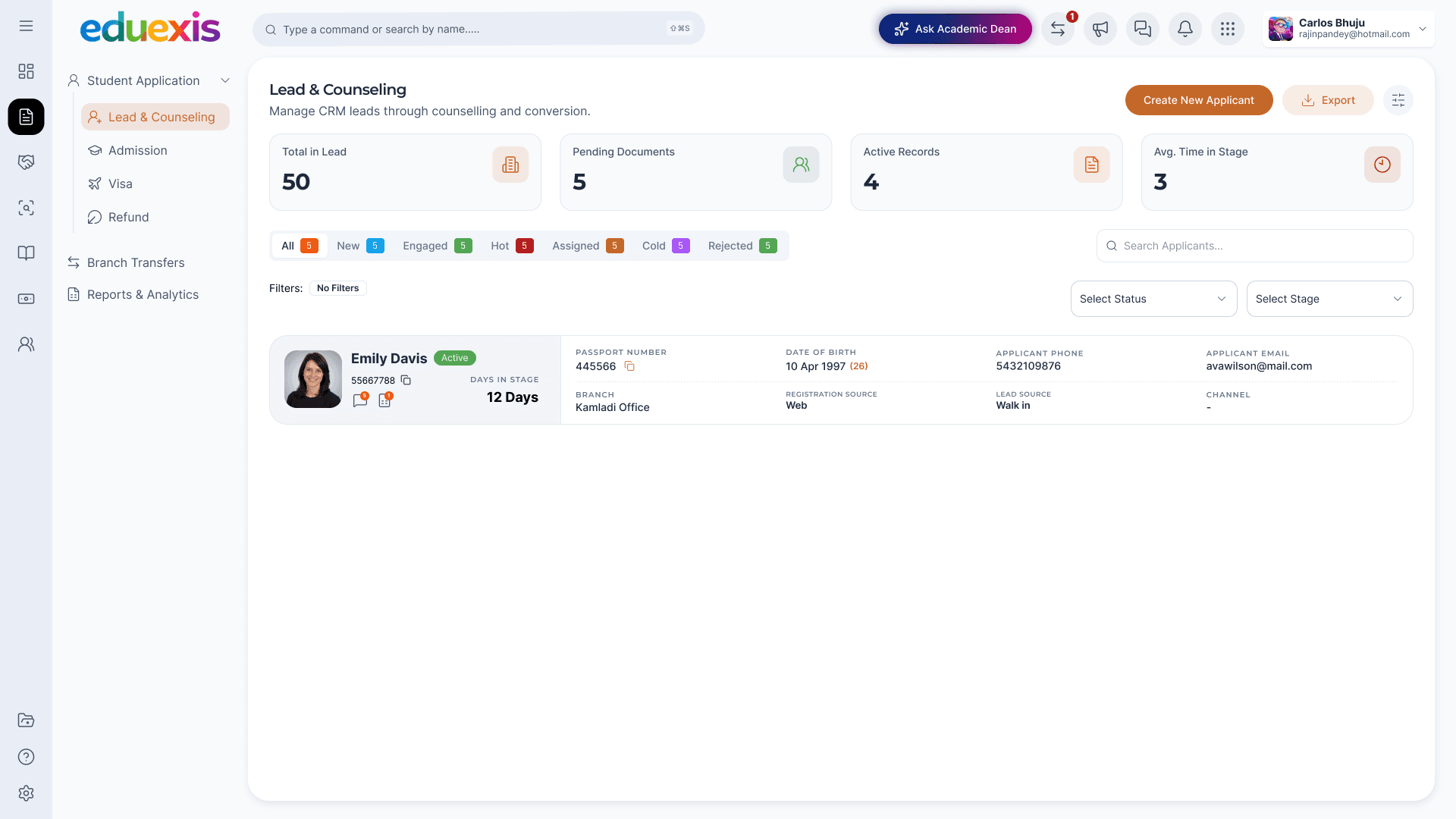
Create, manage, and track applications through their course workflows.
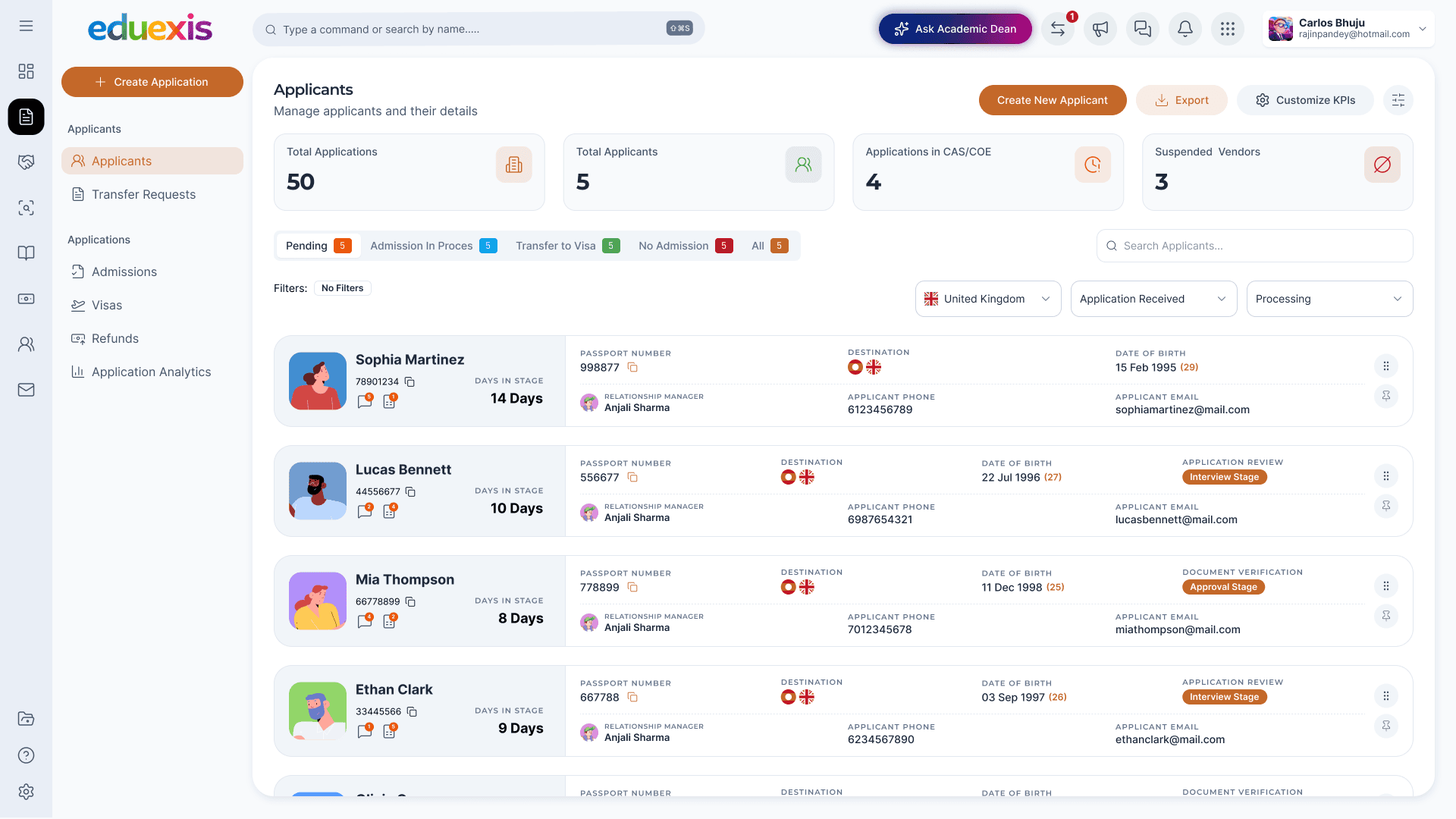
Upload, review, and track student documents.
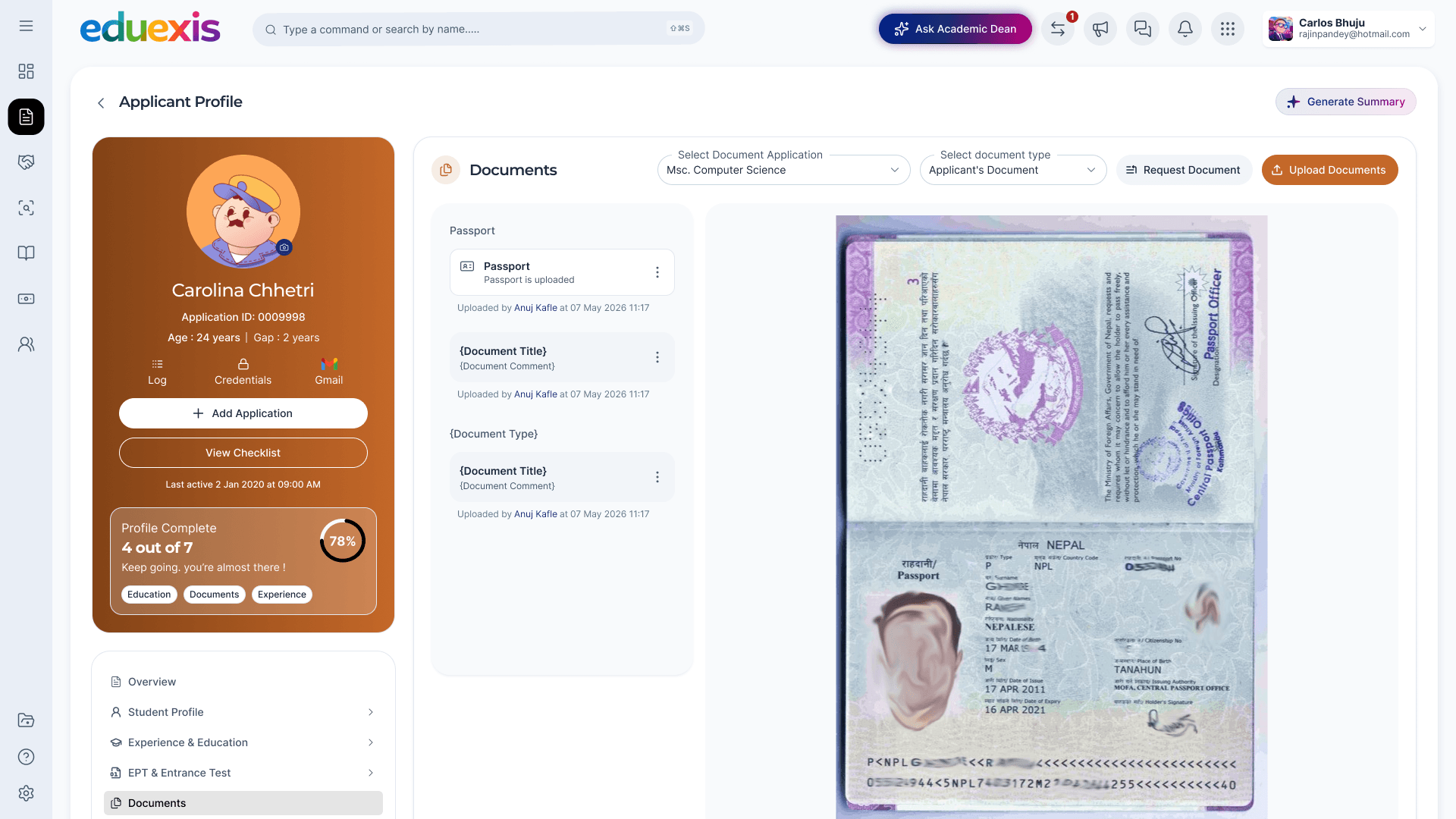
Chat with relationship managers and keep notes on application updates.
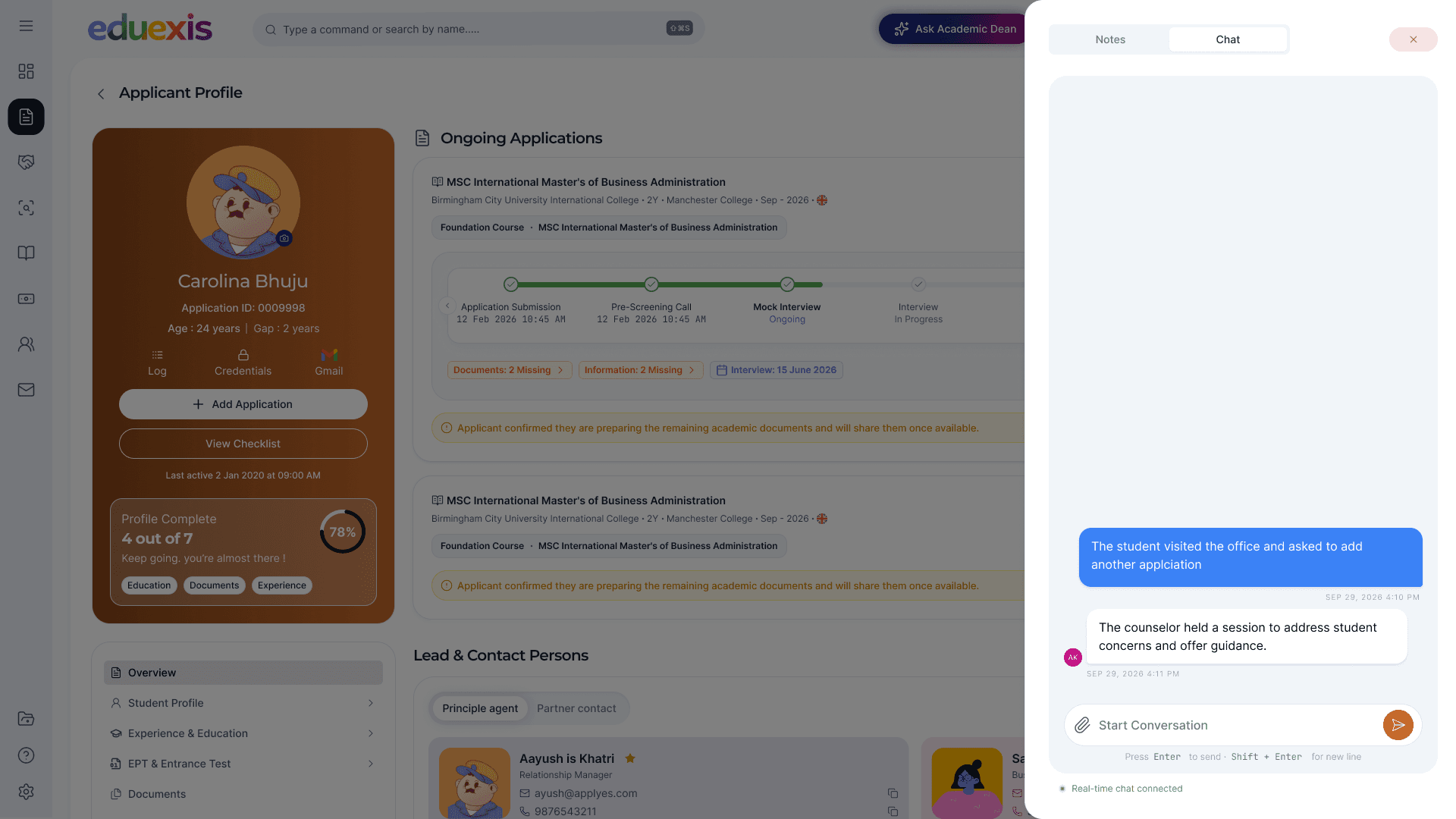
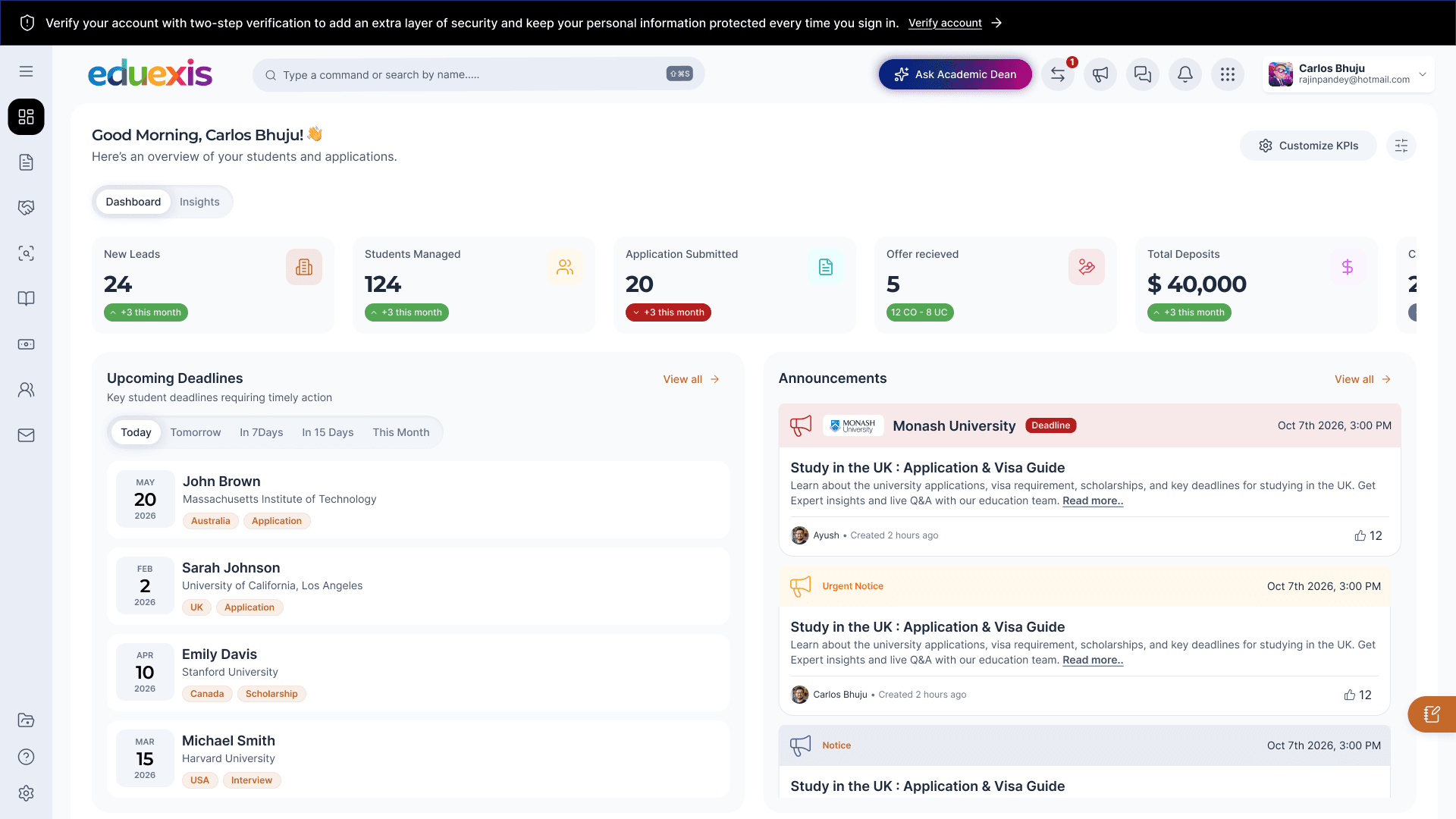
Track upcoming deadlines and required actions, and find university announcements and webinar information.
Access university documents and resources.
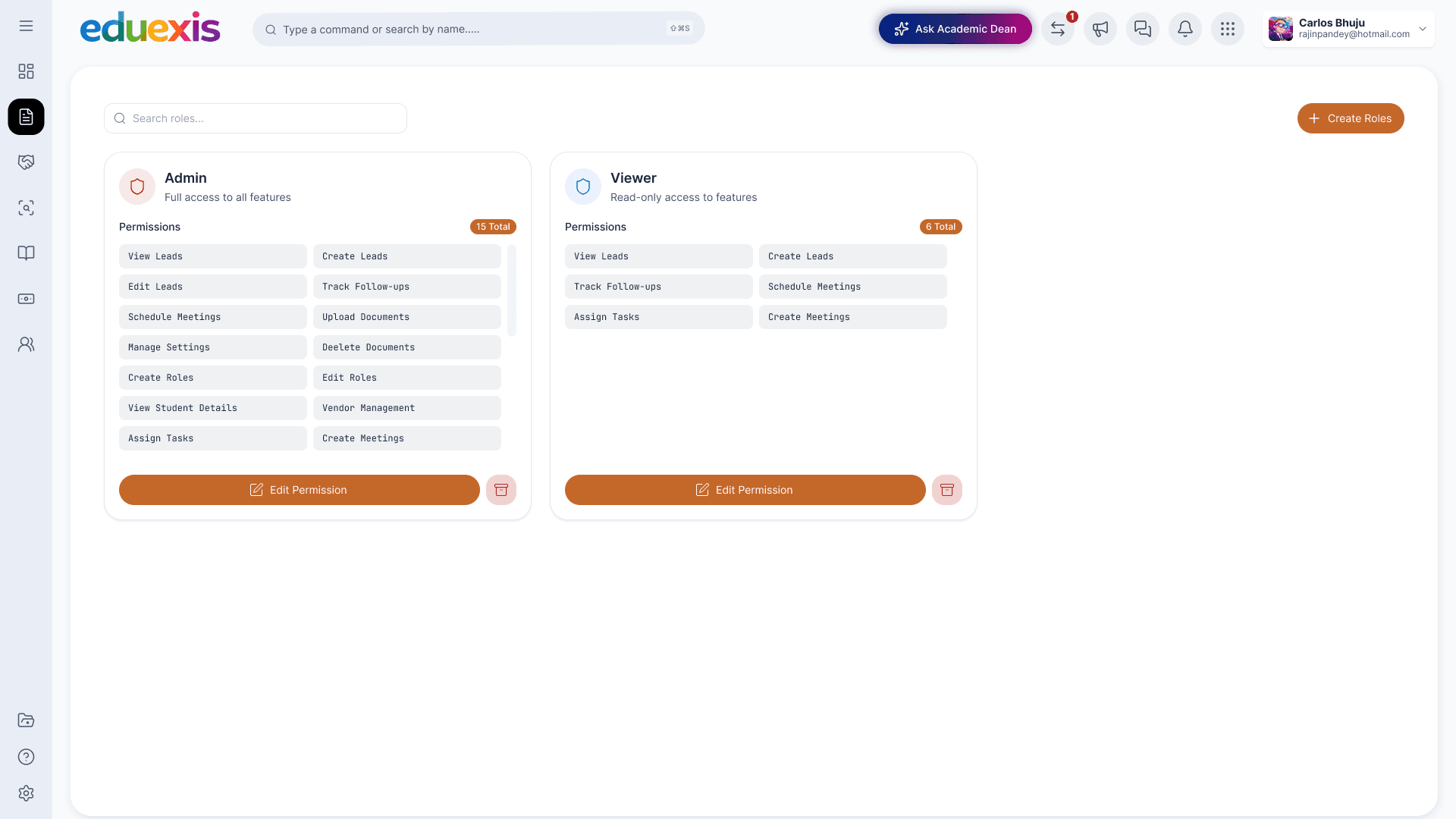
Manage staff roles and permissions.
Track commissions, transactions, payouts, and rewards for your organization, branches, and vendors.
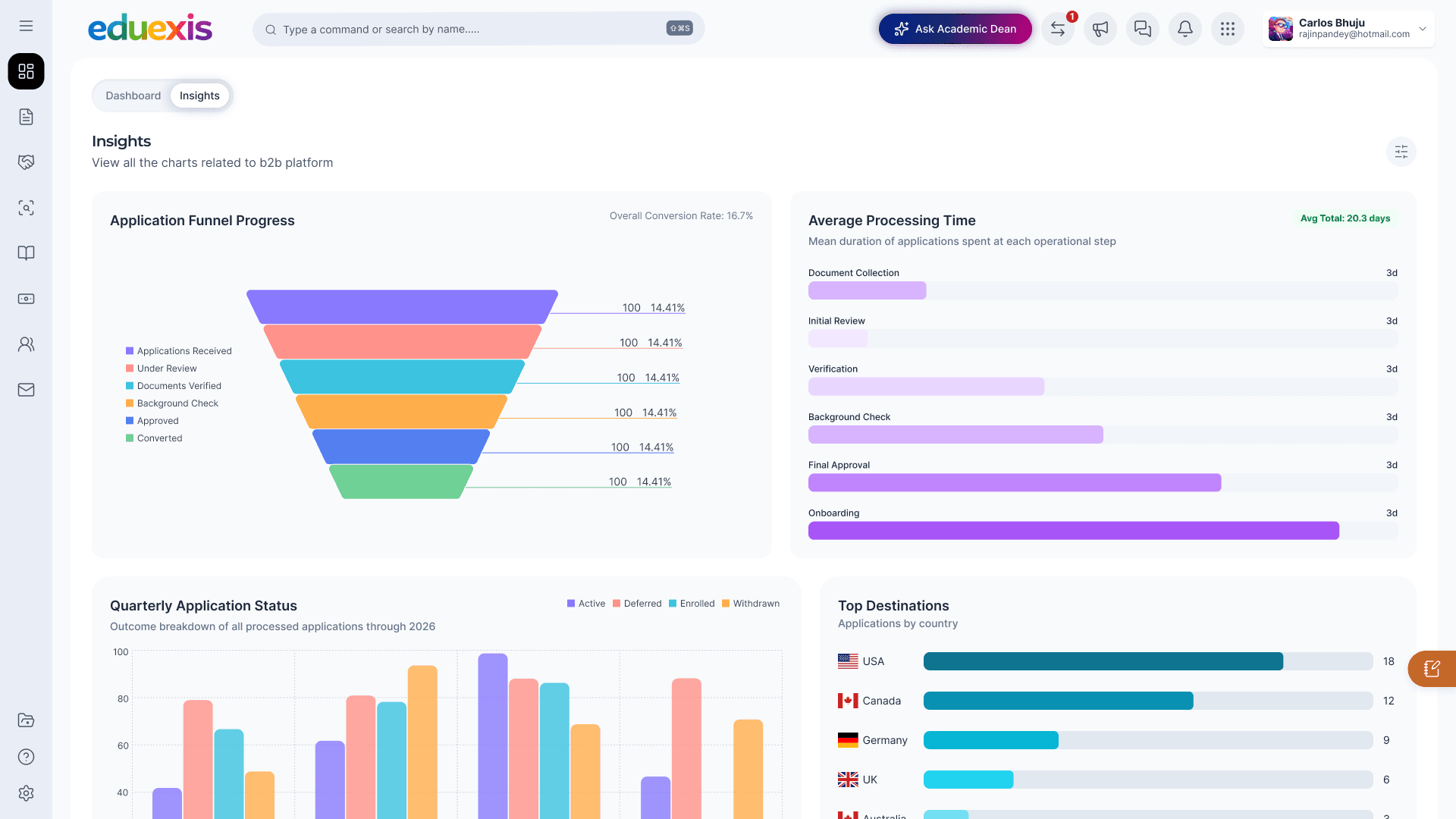
Monitor applications, team performance, and business growth.
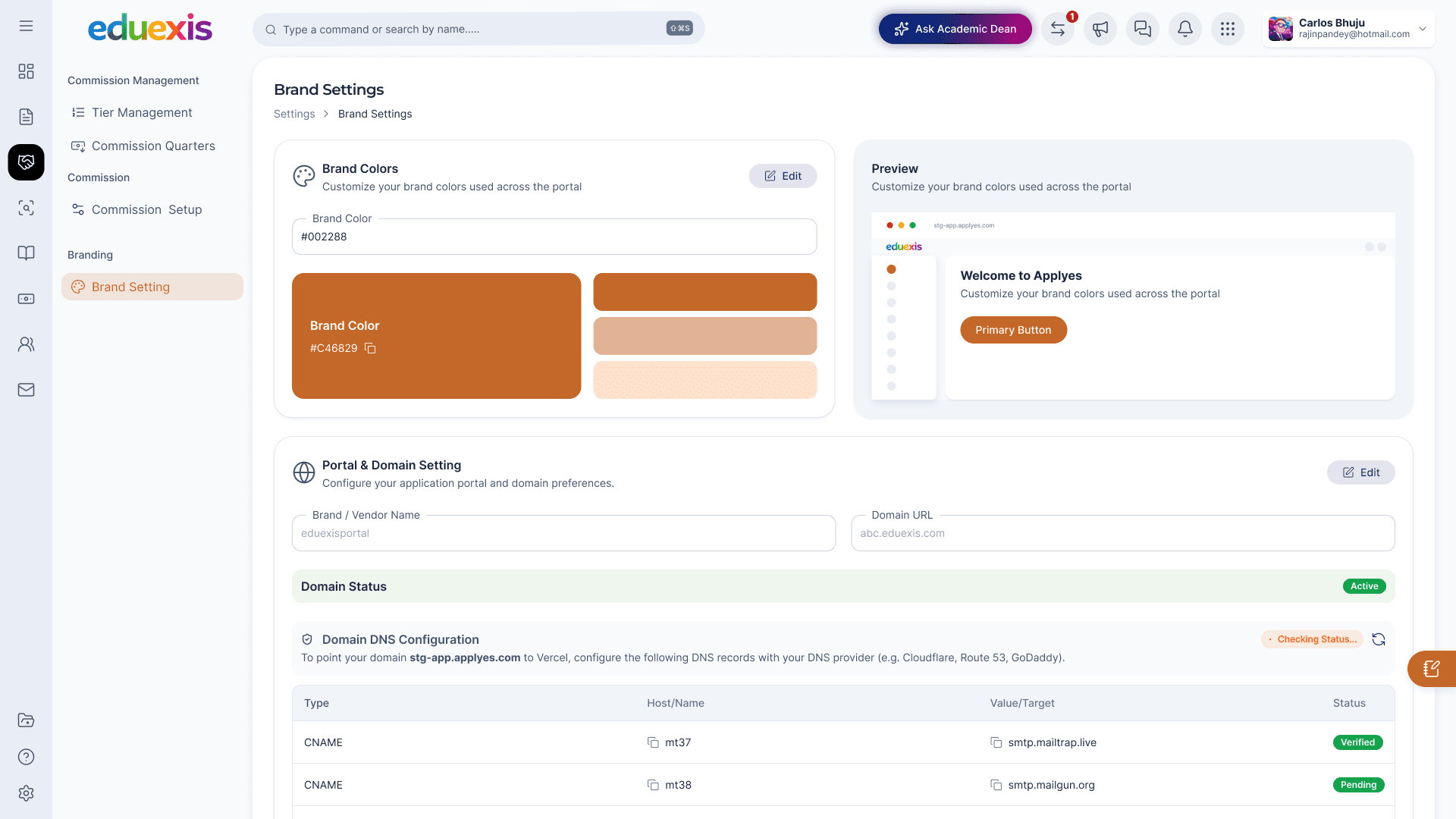
Give Console, CRM, and B2B their own portal name, custom domain, sending email address, logo, and favicon.
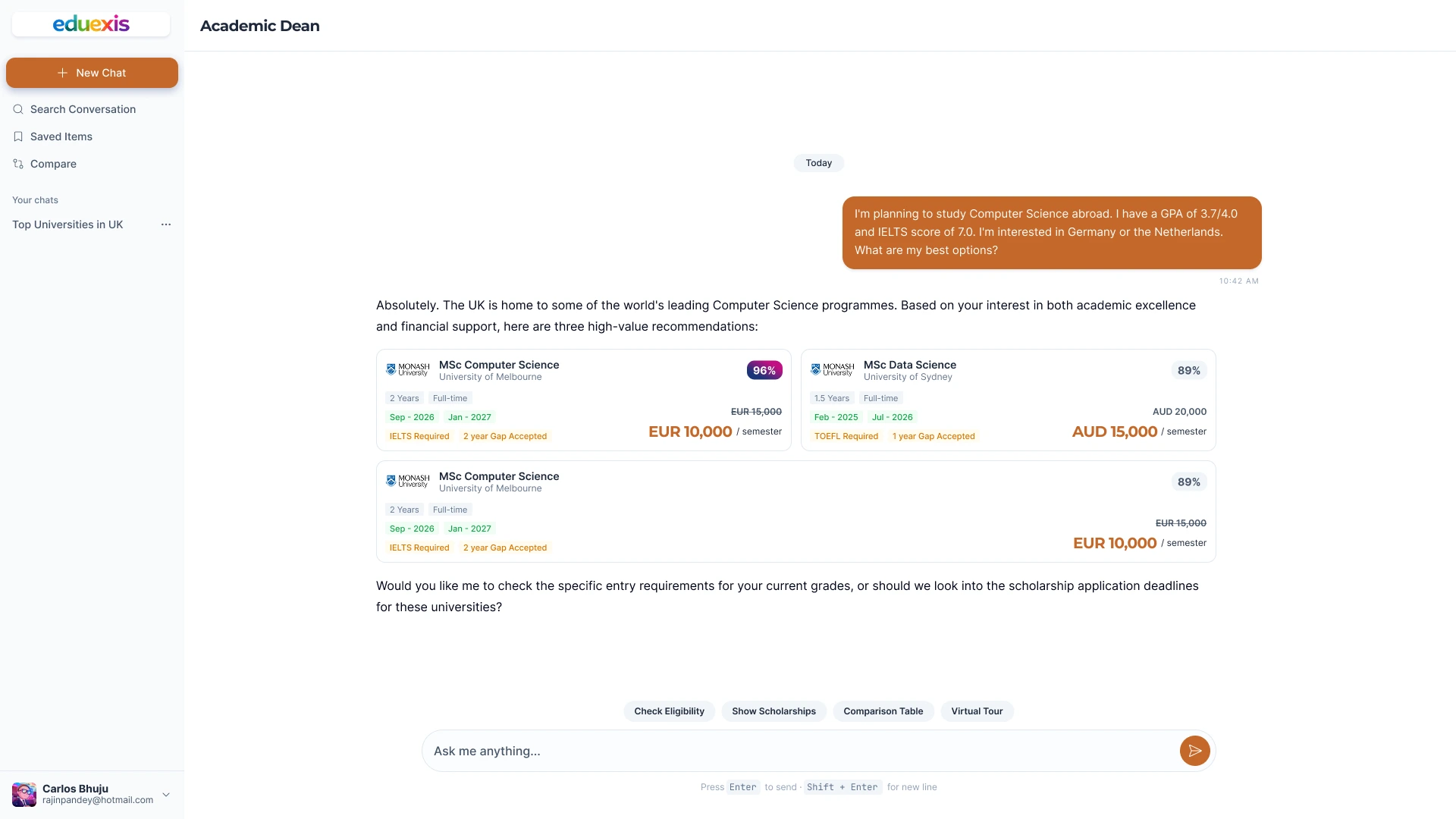
Get guidance on what students need to prepare before applying.
Your organization controls which records each user can access. Assign roles, permissions, and destinations so people see only the records they’re authorized to work with.
Each user’s access to records depends on the permissions your organization assigns.
Create roles, choose permissions and edit them later.
Limit users to the countries and universities assigned to them.
Invite team members, then resend or cancel invitations before setup is complete.
Archive a user and move their current work to a teammate.
Save forms to finish later. Archive records instead of deleting them.
Eduexis is an edtech platform that maintains the academic catalogue and provides three portals to registered organizations. CRM is the portal branch teams use to manage leads and student applications.
Your organization gets access to the Eduexis academic catalogue, plus Console for administration, CRM for branches, and B2B for vendor submissions. You can apply your own branding to each portal.
An application offering is an intake or batch for a specific course. It defines when and where the course is offered, along with the fees and application deadlines.
Yes. Invite team members by email and give each one a role, destination and university access.
The university and its requirement rule set must be approved, and a workflow must exist.
It returns to Pending until a reviewer approves the change.
Choose Forgot Password on the sign-in page and follow the reset link sent to your email.